
The Stocking Levels report categorizes vehicles by Make and itemizes models with details including Year, Body, In Stock, On Order, and Unit Sales over the last six months, providing totals per Make; it is used monthly by Inventory Clerks, Sales Managers, and Used Managers to track vehicle sales for ordering and trade valuation purposes.
Frequency: Monthly
Who uses it: Inventory Clerks and Dealership Managers
Why they use it: Track vehicle sales for ordering and trade valuation purposes.
Navigate to: Sales > Reports > Vehicle > Stocking Levels
Choose Parameters
This section clarifies the parameters outlined in this report. For additional details that apply to all reports, please refer to the Common Report Features article.
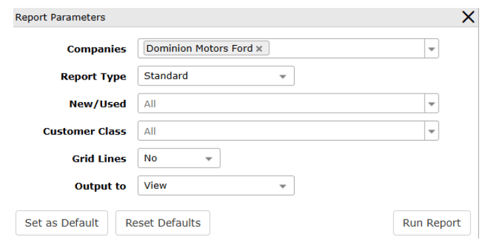
Report Type – Standard to generate in VUE, Export to generate an Excel spreadsheet.
New/Used - Select specifically to generate report information on New or Used vehicles. All is the default.
Customer Class – Select specifically to generate report information based on the type of customer – Retail, Commercial, Fleet, or Wholesale. All is the default. Multiples can be selected.