Click on the image to take a 10-minute course in DDU and then refer back to the step-by-step guide below.

With the proper permissions in place, navigate to Service > Maintenance > Service Dispatch Configuration.
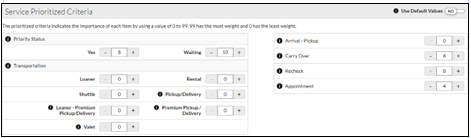
VUE provides baseline default values for prioritizing ROs.
You may adjust the Priority values to calculate which ROs should have greater or less priority.
- Select "No" on the Use Default Values toggle in the upper right of the grid to allow editing of the values.
- Select "Yes" to reset to the system default values.

- Make any necessary changes. Each of the criteria will be used to apply a score on the Route Sheet to aid Dispatchers in evaluating and assigning work to Technicians efficiently.
- The values must be between 0 to 99, with 99 being the highest priority value.
- Click the [Save] button
- The settings set for the Service Department may be applied to the Quick Lube and/or Body Shop Departments.
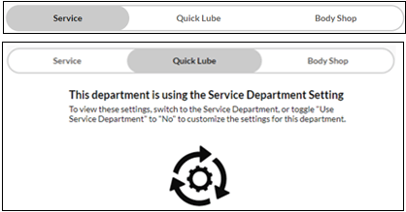
- Or you may change the Use Service Department Settings toggle to "No" to make custom priorities for those departments.

- Use the GO TO dropdown in the Action Ribbon as a shortcut to go to a specific screen.
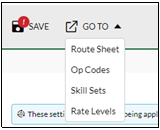
- In the Route Sheet, to sort the ROs by Priority, click the caret in the Priority column header dropdown.
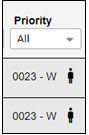
- The priority rating is represented by a number. ROs with the same priority rating are listed in RO number order, the lower the RO number, the higher the priority.
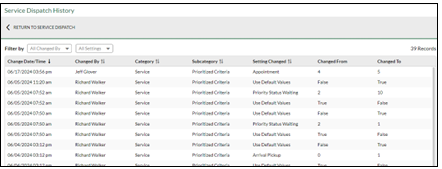
- All changes to the priority criteria are time-stamped and recorded, and they may be reviewed by clicking the History link in the upper right of the Action Ribbon.