
The Part Type Inventory Report provides a detailed, itemized summary of the dealership’s current inventory of automotive parts, including tires, oils, and other components.
Frequency: Weekly and Monthly
Who uses this report? Parts Managers
How It’s Used
- Inventory Management
-
- Tracks the quantity (“OHQ” – On Hand Quantity) of each part type currently in stock.
-
- Lists each part by number, description, bin location, and manufacturer.
-
- Shows cost per item and extended cost (total value for each part type).
-
- Summarizes totals by manufacturer and part type, helping staff monitor stock levels and identify reorder needs.
Navigate to: Parts > Reports > Inventory > Part Type Inventory
Choose Parameters
This section clarifies the parameters outlined in this report. For additional details that apply to all reports, please refer to the Common Report Features article.
Part Type: All or select individually
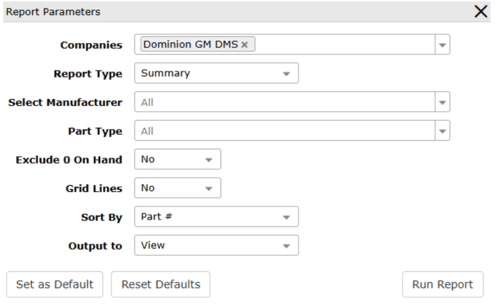
Exclude 0 On Hand:
-
Yes: Report results will include part numbers with a positive and negative on hand quantity
-
No: Report results will include all part numbers