Skip to content
  • There are no suggestions because the search field is empty.

iVUE - Live Chat

An AI - Powered Chat Feature for the VUE System

Easily access and chat with our Help Center resources directly from VUE through our AI-powered chat feature.

No additional settings or permissions are required to enable iVUE.  It is always ready to assist you whenever you need it!


Screenshot 2026-02-24 170233
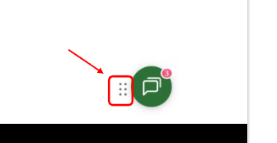
By default, this icon appears on every screen in the lower right. 

You may reposition it to another part of the screen, and it will remember that setting going forward.


To reposition the icon, click the small dots to the left of the chat bubble, drag it to your desired position, and then release it.


Using the Chat Feature

  1. Select the chat button


    Screenshot 2026-02-25 081856


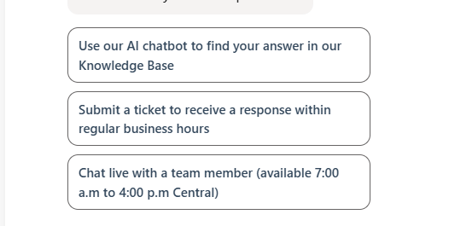
  2. Click one of the three options provided


    Screenshot 2026-02-25 081537

  3. Then ask your question.

    For example:

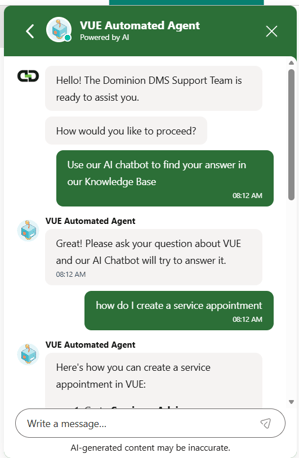
    If you want to know how to create a service appointment, simply ask, "How do I create a service appointment?"
  4. The system will gather relevant information from our knowledge base and provide you with the answers you need.

    Screenshot 2026-02-25 081342

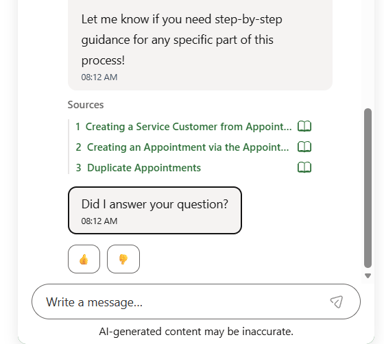
  5. The chat will then list all the articles used to respond to your question. You can click on the article links to go directly to those articles.

    Screenshot 2026-02-25 081400


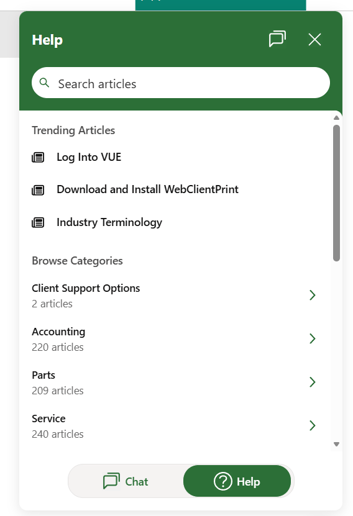
Using the Help feature

  • If you prefer to browse the Knowledge Base on your own, click on the Help Icon.

  • Easily search for articles, view trending articles, or browse categories.

Screenshot 2026-02-25 081708